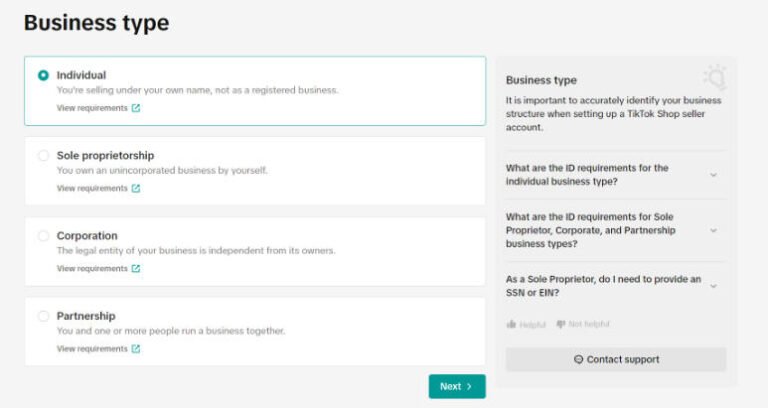
US sole proprietors can open a TikTok Shop if they use a new email/phone, are 18+, have valid US ID, and a US business address; governments/political entities are ineligible. Register on the TikTok Shop sign-up page, choose Sole Proprietorship (or Individual Seller if no EIN), then submit matching business/owner details, tax forms, and ID/proof-of-address documents. Use unexpired, unaltered files under 10 MB; all key fields must verify before Submit.
Easy Guide to Kick-Start Your Business on TikTok Shop – Sole Proprietorship
What are the Requirements?
- Applicants must use a Phone Number and Email Address not already used to open another Shop.
- Each business owner and business representative must be at least 18 years old.
- Each business owner and business representative must have a valid United States Passport/Passport Card (front and back for Passport Card), United States Driver License (front and back), State ID (front and back), or Permanent Resident Card (front and back).
- When submitting, do not submit angled ID documents.
- Governments, politicians, and political parties are prohibited from becoming TikTok Shop sellers.
- Applicants must have their primary business address in the United States.
What Information Will Need to be Provided?
- Legal name
- Date of birth
- Legal business name
- Residential/Registered business address
- Social Security Number (SSN)
- EIN if available
- Note: Are you a sole proprietor without an EIN? If so, please select Individual Seller during registration. Sole proprietors without an EIN must use their personal information, which falls under the “Individual Seller” category.
- Primary Representative
- Legal name
- Expiration date of your valid ID
- Date of birth
- Residential address
- Social Security Number (SSN, last 4 digits)
- If not available, Individual Taxpayer Identification Number (ITIN) is also allowed.
- If your business is an LLC and has a parent company, please provide the following information:
- Legal business name
- Country of registration
- Bank account information
What Documents Will Be Requested?
- For Identification:
- If applying with a United States Passport/Passport Card:
- Submit with the biographic data page (with your photograph, full legal name, date, place of birth and expiration date);
- If applying with a United States Driver License or State ID:
- Submit the front and back side of your ID with your photograph, full legal name, date, place of birth, and expiration date.
- If State ID does not have expiration date, please enter “00-00-0000” into the date.
- If applying with a United States Permanent Resident Card:
- Submit with the front and back side with your photograph, full legal name, date, place of birth, and expiration date.
- If applying with a United States Passport/Passport Card:
- For tax purposes: Sole Proprietorship (Form W9), General Partnership (Form 1065), Limited Partnership (Form 1065), Limited Liability Partnership (Form 1065), C Corporation (Form 1120), Single-member LLC (Form 1040), Multi-member LLC (Form 1065 or Form 8832), Form 1120-S (S Corporation)
Note: All documents must be valid and not expired. Information from each uploaded document must match what was manually entered. Uploads must meet requirements of having the full document visible and must not be altered. Please ensure all uploads of documents are <10 MB in PDF, JPEG (JPG) or PNG format.

Steps To register your account, visit the TikTok Shop Sign up page
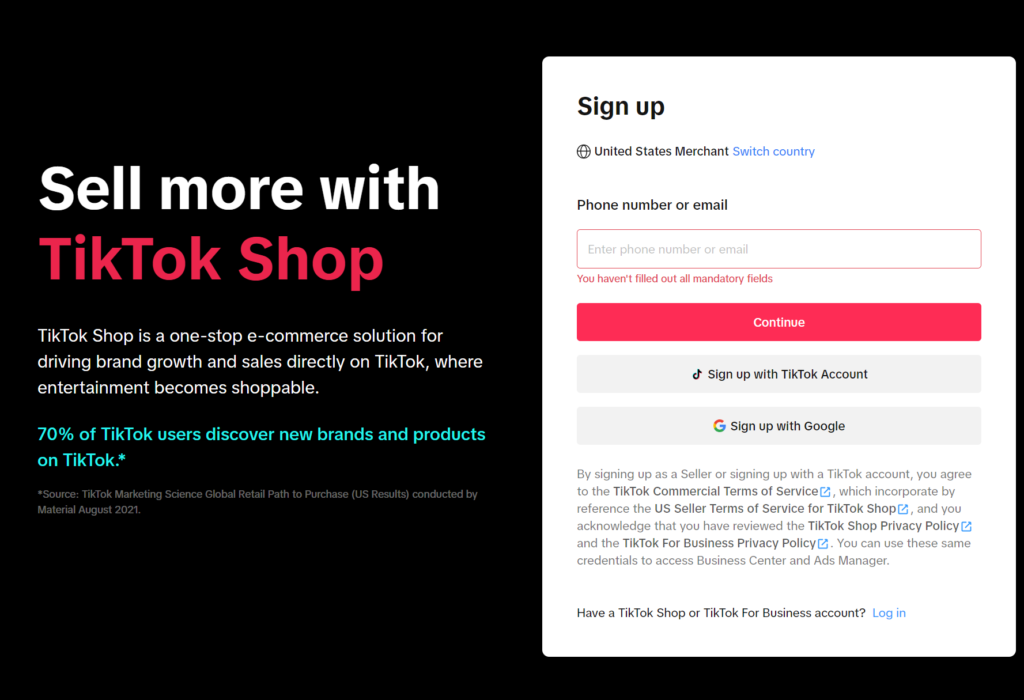
There are 2 ways for you to sign up:
Option 1 – Sign up with your TikTok account
To sign up, the first option is by using your TikTok account. This can be done by selecting “Use QR code” and following the instructions, or by logging in using the phone/email/username associated with your TikTok account.
After logging into TikTok page, Select “Authorize”.
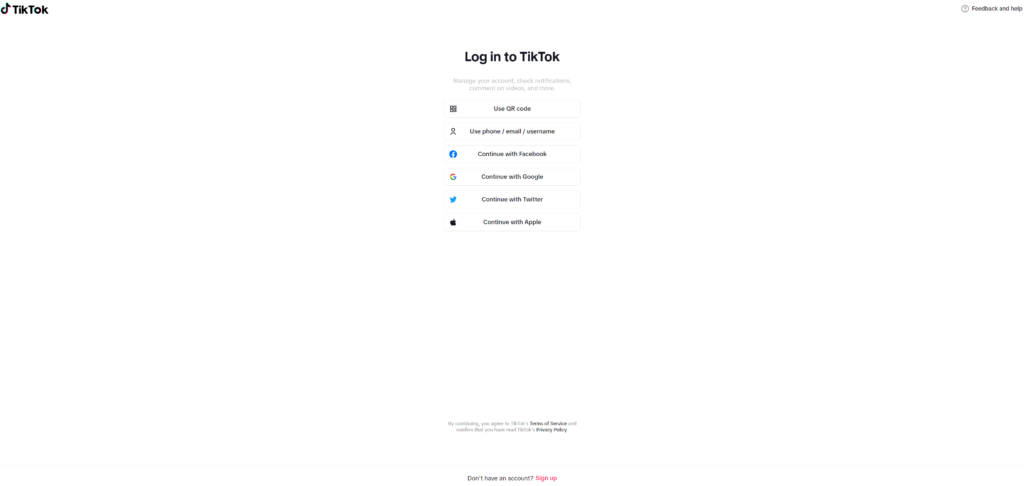
Option 2 – Sign up with your email or phone number
With this option, you can choose to enter your email address or phone number to receive a verification code. This code can then be entered to start the registration process.
Email is set by default, but you have the option of signing up by entering via your phone number:
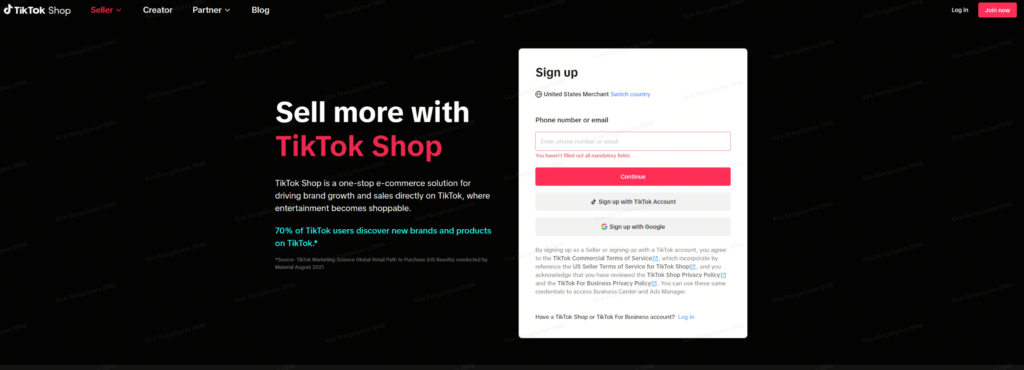
Type in the chosen email address or phone number. You will then receive a verification code email (when signing up with your email address) or text message (when signing up with your phone number).
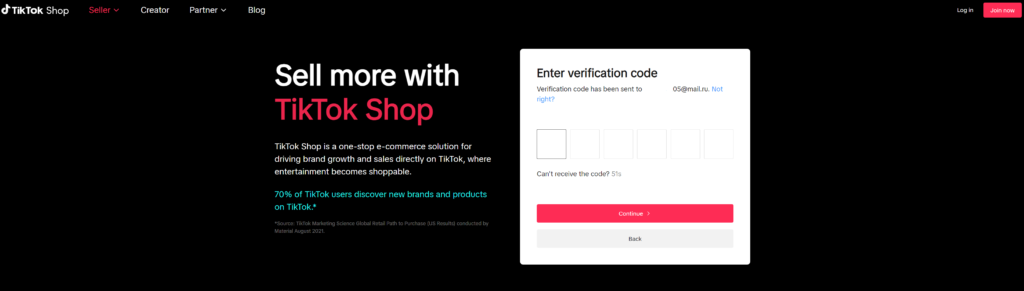
Enter the verification code.
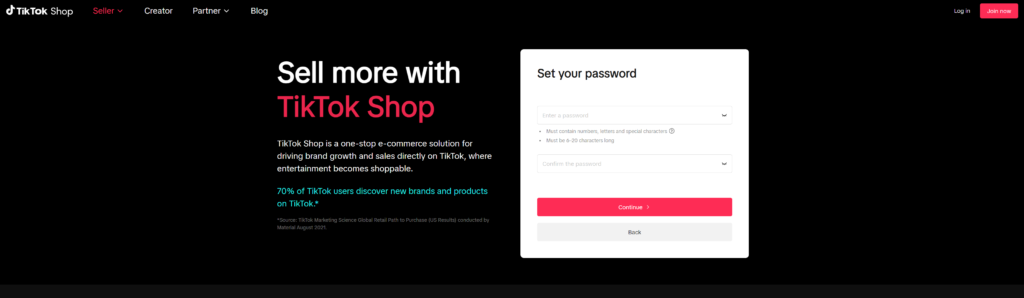
Set up a password to finish registering.
Issues with signing up
If an error message appears stating “Account already exists”, it means the phone number or email address you entered has already been registered for a TikTok Shop account or a TikTok for Business (Ads platform, etc.).
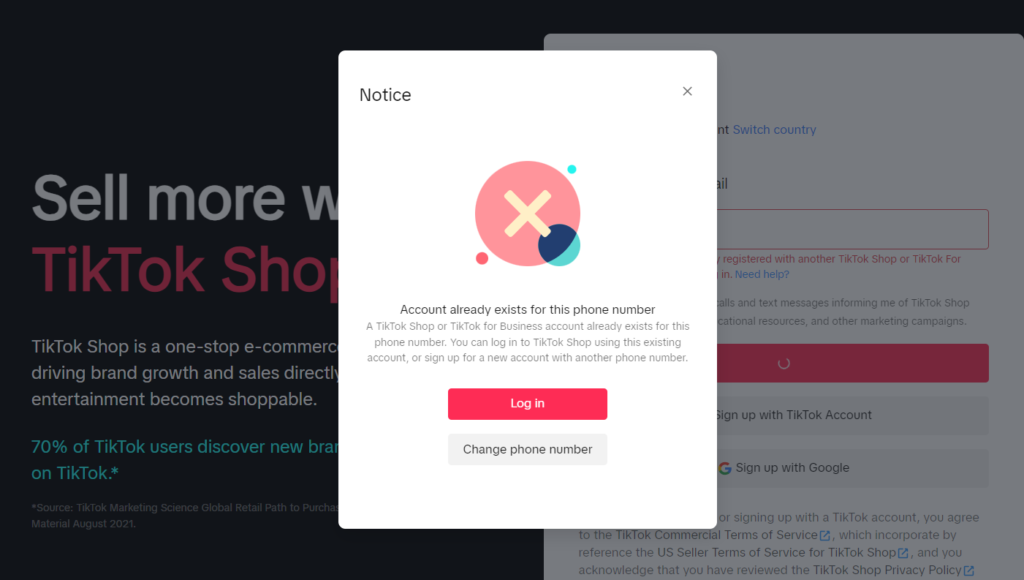
- If you made a mistake, select “Change phone number” or “Change email address”.
- If you instead want to login to your existing account, select “Log in”.
- On the next screen, fill in your login credentials (Choose “Email” or “Phone” depending on how you originally signed up.)
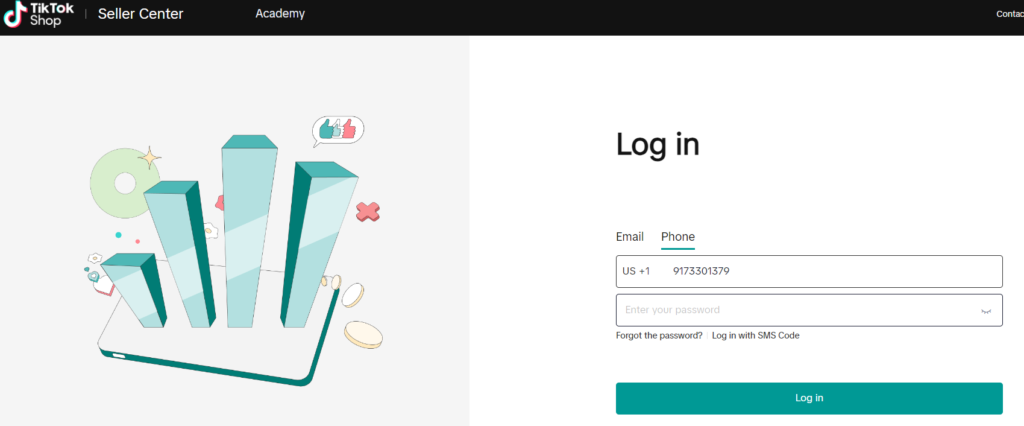
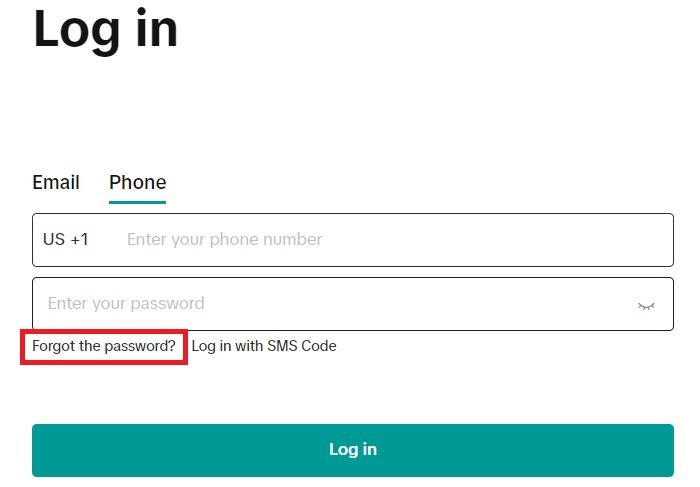
- If you registered with your phone number, but forgot your password, you can:
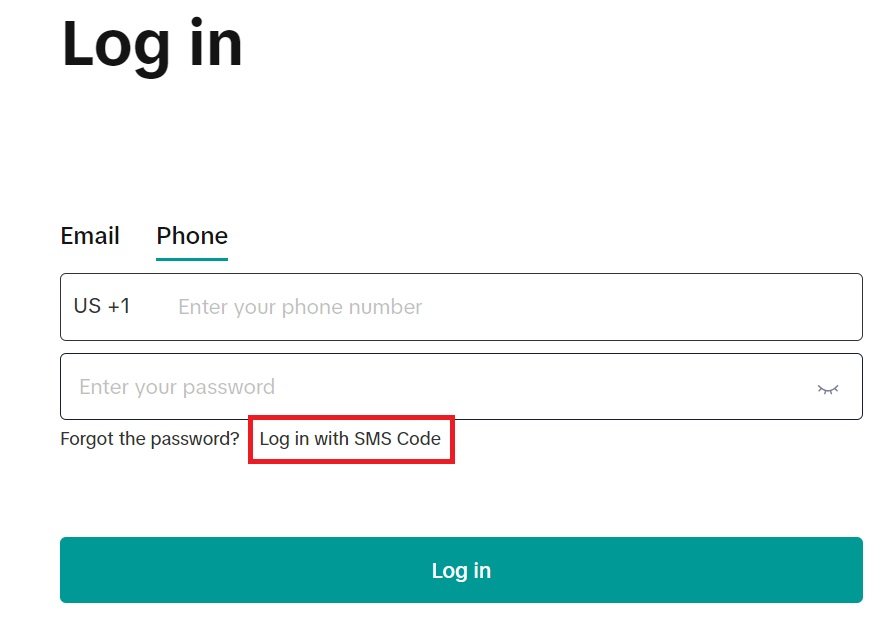
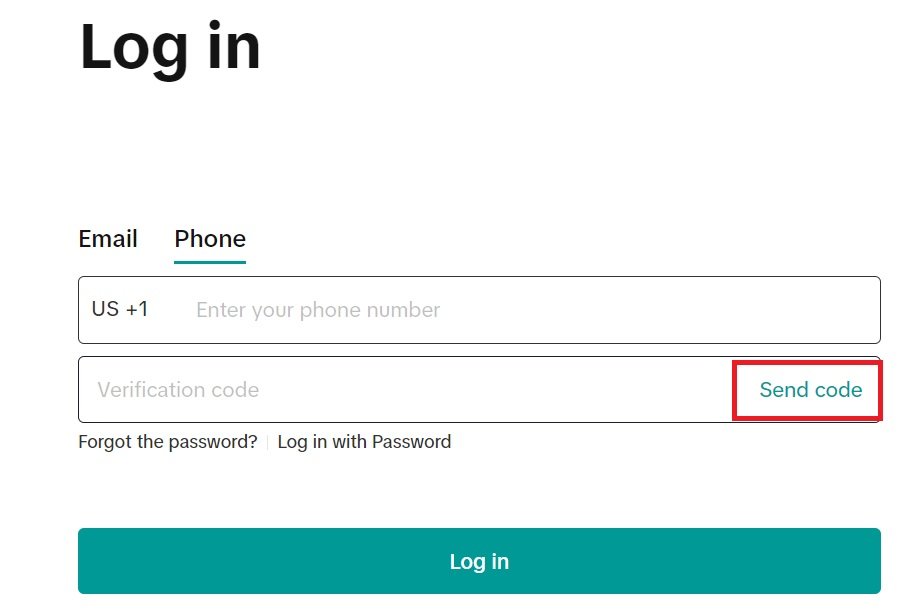
- Log in with SMS code (text message, Option 1):
- Select “Log in with SMS code”.
- Select “Send code” (it will send a text message with a code to the phone number that you filled in).
- Fill in the code received by text message.
- Select “Log in”.
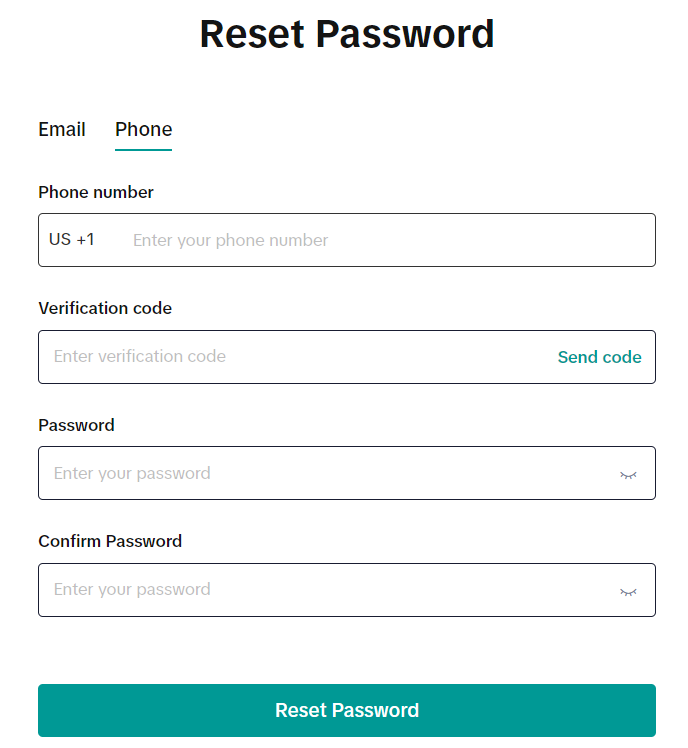
- Reset Password (Option 2)
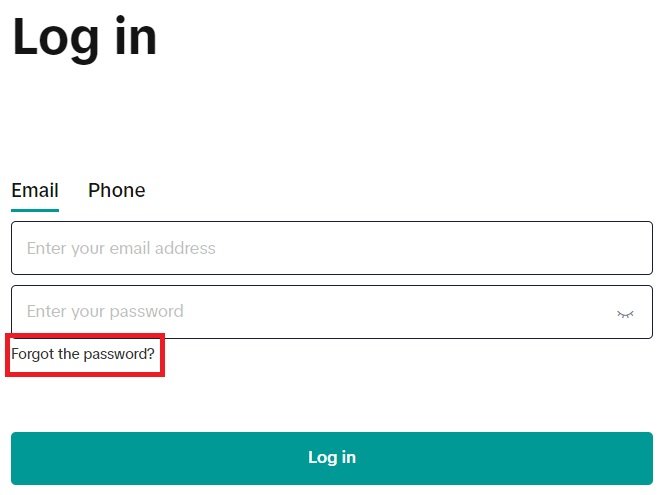
- Select”Forgot the password?” (it will send a text message with a code to the phone number that you filled in).
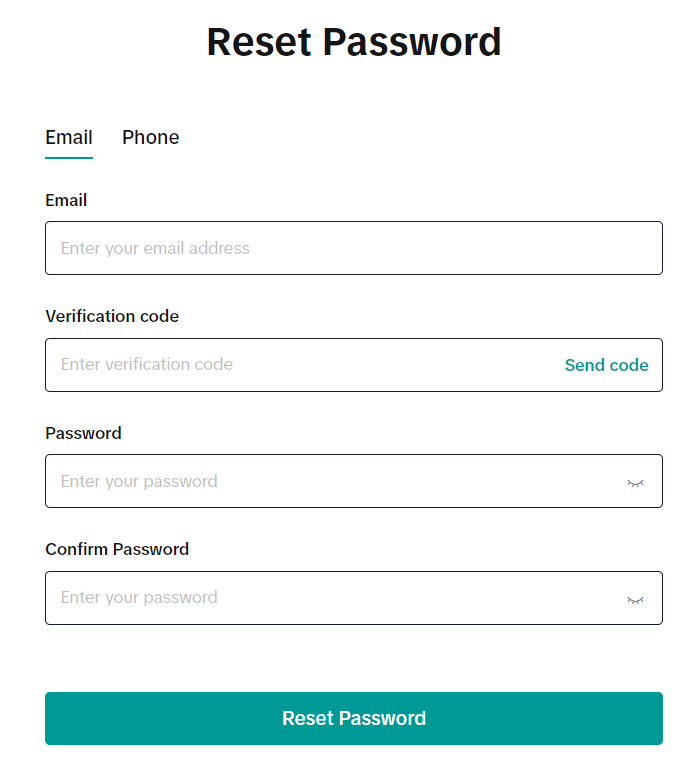
- Enter the code received by text message.
- Fill in the new password in both password fields (must be identical).
- Select “Reset Password” (it should reset the password).
- Log in with SMS code (text message, Option 1):
- If you registered with your email address, but forgot your password, you can:
- Reset Password (Option 3)
- Select “Forgot the password?” (it will send an email message with a code to the email address that you filled in).
- Enter the code received by email.
- Fill in the new password in both password fields (must be identical).
- Select “Reset Password” (it should reset the password).